Google Play Store PC
Google Play is Google's digital distribution platform. On Windows, Google offers Play content through the browser and Google Play Games on PC.
52.9 MB

Free WiFi Hotspot is a small Windows program that turns a laptop or PC with a Wi-Fi adapter into a wireless hotspot for phones, tablets and other devices.
Average 0.0 · ratings: 0
Thank you! Your rating is saved; you can change it. Could not save the rating. Please try again later. Too many ratings from your network today. Please try again tomorrow. The average appears after 5 ratings.
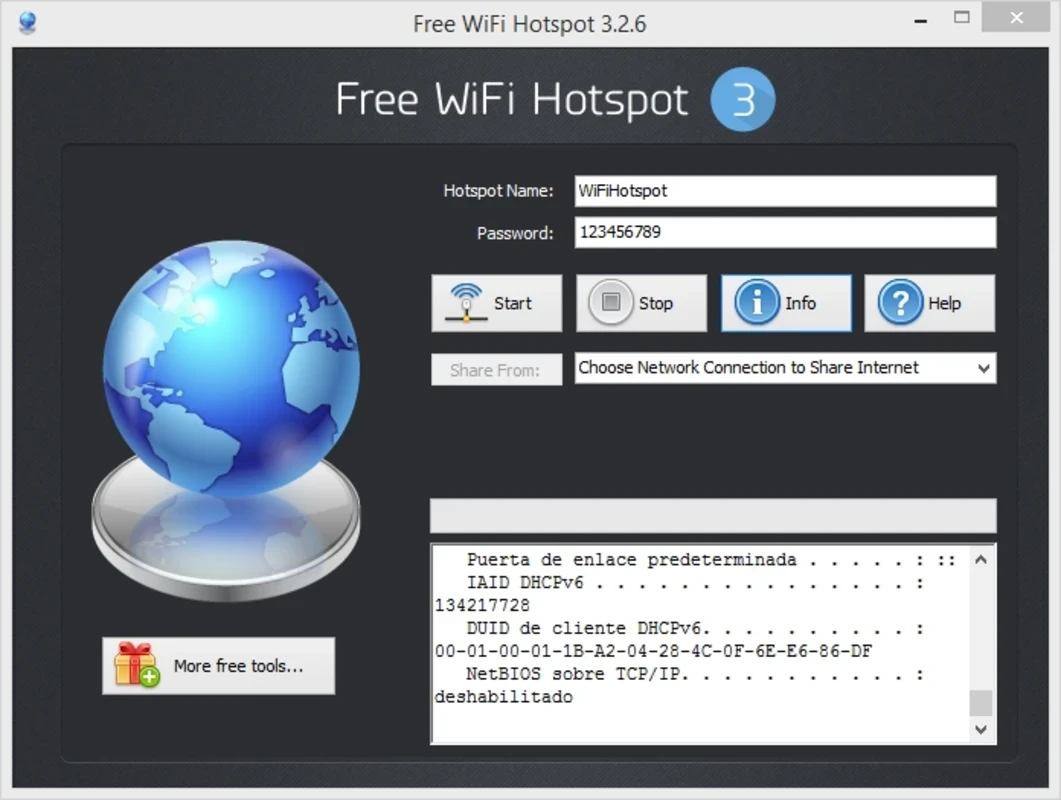
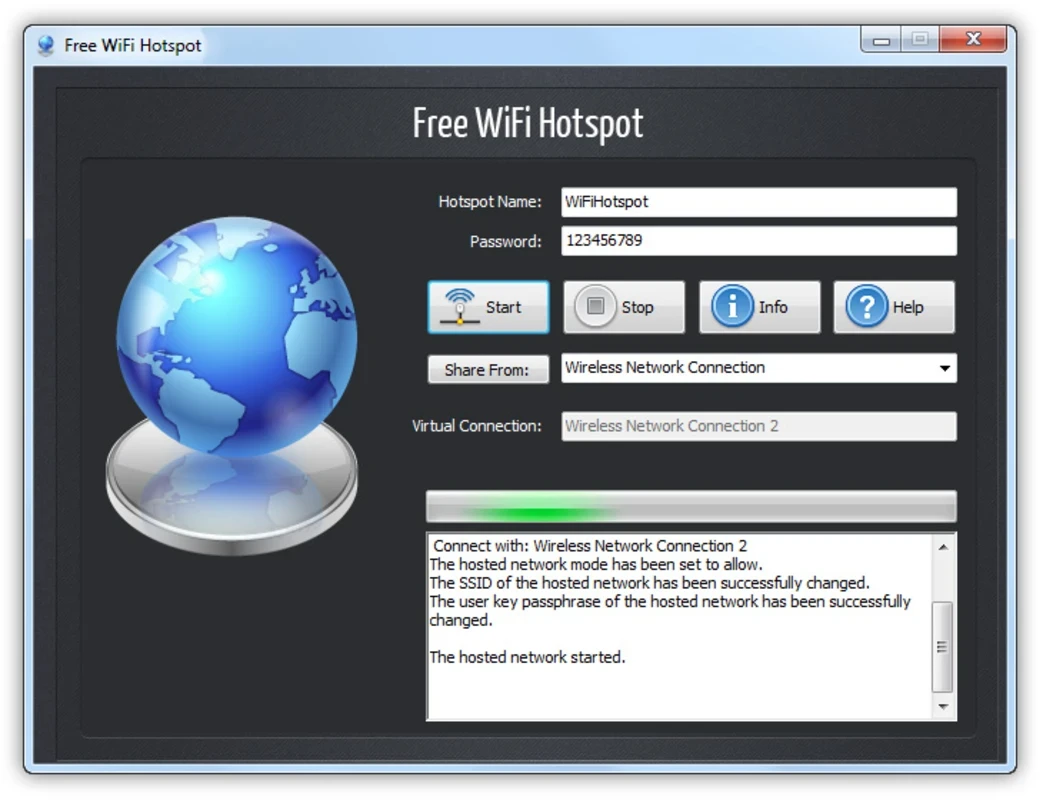
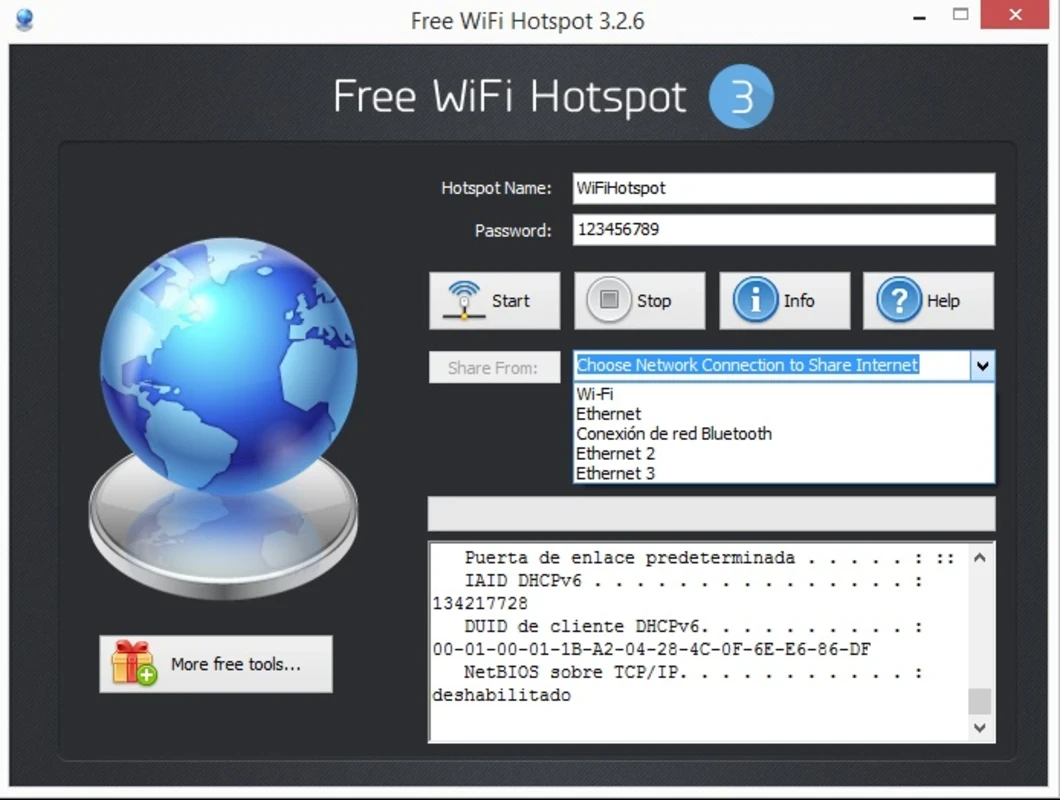
Free WiFi Hotspot 3.2.8 is a small Windows program from FreeWiFiHotspot Co., Ltd. that turns a laptop or desktop PC with a Wi-Fi adapter into a wireless access point. Other devices, such as phones, tablets or a second laptop, can then connect to it and share the PC's internet connection. You can download Free WiFi Hotspot for Windows from the developer's website; note that the site already lists a newer release than the version in our catalogue.
Picture a hotel room with a single network cable, a conference where only laptops get a login, or a home where the router has died and the PC is connected with a USB modem. In all those cases one computer has internet and the other devices do not. A hotspot program lets the PC broadcast its own Wi-Fi network with a name and password you choose, and forwards traffic to the connection it already has. Windows includes a mobile hotspot feature of its own, and for many people that is enough. A separate program mainly adds a simpler interface, a list of connected devices and options that the built-in switch hides. Whether it works at all depends on your hardware: as the developer notes, hotspot availability also depends on the Wi-Fi adapter and its driver.
If the hotspot does not start, update the Wi-Fi driver from the laptop maker's website and check that the adapter is switched on. Some adapters cannot connect to one network and broadcast another at the same time; sharing a wired connection usually works more reliably. Antivirus or firewall software can also block sharing and may need a rule for the program.
Other hotspot programs in our listings are Connectify Hotspot and OSToto Hotspot. To test the speed of the shared connection, use Speedtest by Ookla.
Google Play is Google's digital distribution platform. On Windows, Google offers Play content through the browser and Google Play Games on PC.
Media Creation Tool is a free Microsoft utility that downloads Windows and turns it into a bootable USB flash drive or an ISO file.

LDPlayer is an Android emulator for Windows that runs mobile apps and games on a computer.

BlueStacks is an Android emulator for Windows that lets you run Android apps and games on your PC.
Rufus is a free Windows utility that turns a USB stick into a bootable installer. The current version is 4.15.

PC App Store is a free software store for Windows from Baidu for finding, installing and updating PC programs. This page covers version 5.0.1.8682.

Uptodown App Store for Windows is the desktop client of Uptodown, a marketplace for desktop software and mobile apps. This page covers version 1.0.3.
NoxPlayer is a free Android emulator from Bignox for Windows and macOS that runs mobile games and apps on a computer with keyboard and mouse control.